CRM for Local Businesses: Save Time and Increase Revenue
Discover how a local business CRM speeds responses, automates follow-ups, and boosts leads, bookings, sales, and overall revenue.
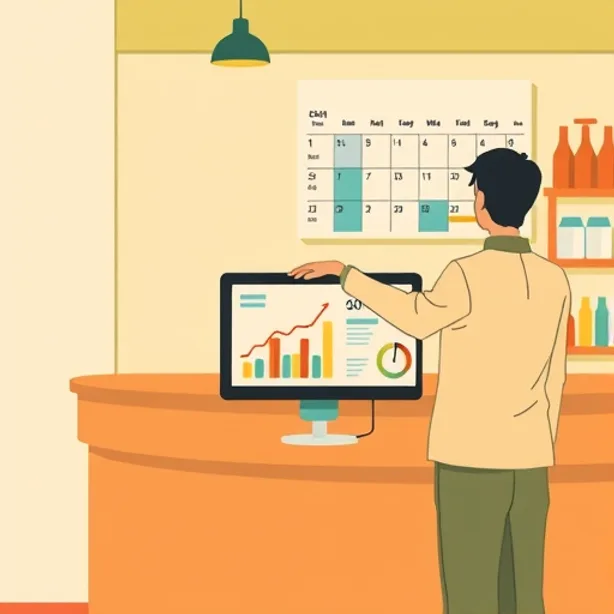
CRM for local businesses is the key to turning contacts into repeat customers and reducing time wasted on administrative tasks. A centralized CRM system brings together interactions, automations, and data so you can focus resources on sales and service.
Why a CRM for local businesses works
Local players often miss opportunities due to slow responses, missing confirmations, or inconclusive follow-ups. A CRM automatically captures leads, logs conversations, and sends reminders so you never miss another opportunity.
How daily work changes
With a modern CRM, repetitive tasks are automated: creating the customer profile, logging communications, and post-service reminders. This reduces hours of admin work and enables faster responses to new contacts.
Simple automations like confirmation messages, reminders, and welcome sequences increase conversions without requiring constant supervision.
Common myths and operational realities
Many owners think CRMs are complex tools or only for large companies. Today there are solutions designed for SMEs that activate quickly and offer measurable ROI.
The false myth of the contact list only
A CRM is not just a directory: it tracks appointments, payments, messages, and marketing campaigns on a single timeline. This visibility allows you to understand exactly where each customer sits in the funnel.
Practical features that are truly needed
Local owners appreciate features that save time: automatic lead capture, SMS/Email reminders, calendar integration, and simple reports. These features turn signals of interest into concrete actions like bookings or calls.
Among the most useful operational capabilities are AI for conversation summaries, automatic tagging for segmentation, and triggers for drip campaigns. These automations keep the contact warm without constant manual intervention.
Using tags and segments based on origin and behavior enables more targeted advertising campaigns with lower acquisition costs.
Integrations that count
Integration with Google Calendar, messaging tools, and payment systems prevents double entries and synchronizes appointments and invoices. The connectivity reduces errors and speeds up day-to-day operational management.
ROI: why adopting a CRM makes sense
For SMEs, even a single additional sale per month justifies the software investment because it reduces lost leads and improves conversions. Automations and scheduled messages increase response rates and loyalty, boosting revenue in the short term.
Metrics to monitor
Measure response times, email CTR, CPL, CPA, and lead-to-customer conversion rate to assess real impact. Comparing these KPIs before and after CRM adoption shows tangible progress.
Implementation without overhauling the job
CRM adoption can be gradual: import contacts, activate a few key automations, and provide quick training for the team. It’s best to start with simple flows and expand capabilities based on results.
You don’t need to revolutionize processes that already work: the CRM should adapt to the existing work and simplify it. Integrations with tools you already use reduce the learning curve.
Start with one operating rule: automate the 3 tasks that consume the most time and measure results after 30 days.
Concrete applications for local sectors
Restaurants, beauty centers, gyms, and professional studios benefit from booking reminders, post-service sequences, and review requests. These actions increase repeat visits and positive reviews, key elements for local marketing.
Advertising and CRM: operational synergies
Campaigns on Meta, TikTok, or Google become more effective if incoming leads are automatically routed into the CRM and placed into personalized funnels. This allows optimizing ad budgets by channel, based on qualified leads.
Challenges and limits: a balanced view
A CRM is not a magic wand: it requires discipline in use and a strategy for content and automations. If left unguided, it can create incomplete data and ineffective automations.
From a marketing perspective, there are three issues to consider: privacy and compliance, data quality, and integration with advertising platforms. You need to plan consent policies, clean the data, and connect conversion events to advertising platforms.
Pros: better customer experience, automations that reduce operating costs, and data to optimize campaigns. Cons: requires initial setup, data upkeep, and regulatory compliance. Evaluating costs/benefits on a quarterly basis helps decide priorities.
Quick checklist for choosing and launching a CRM
-
Check integrations with calendar and advertising. 2) Review automation and template features. 3) Test automatic creation of the customer timeline. These three points reduce the risk of choosing an unsuitable solution.
-
Plan a 30-60 day pilot with clear metrics: response time, number of leads contacted, and conversion rate. 5) Plan a data-cleaning process and consent policies. A pilot phase minimizes costs and allows quick corrections.
Critical paragraph: risks, alternatives and technology choices
There are two schools of thought: adopt an all-in-one suite that consolidates functions or integrate specialized tools via APIs. The first option simplifies, the second can offer more advanced niche features.
From a privacy and tracking standpoint, after recent cookie and mobile tracking developments, it is essential to consider solutions that support server-side tracking and Conversion API. This ensures reliable conversion tracking and data to optimize cross-channel campaigns.
Finally, the level of automation should be calibrated: too much automation without control can generate irrelevant communications; too little keeps manual workload high. Balancing automation and human intervention is the most important strategic decision.
Recommended practical steps for the first 90 days
Days 0-15: import contacts, set up calendar and messaging. Start at least two automations: appointment confirmation and 24-hour reminder.
Days 15-45: activate follow-up sequences for new leads and a process for requesting reviews after service. Monitor open and click-through rates to optimize messages.
Days 45-90: connect conversion events to your advertising account, segment by source, and test targeted creative for high-value segments. Measure CPA and ROAS for each channel and reallocate budgets where conversion is most efficient.
Concrete advantages for local businesses
Faster response times, increased repeat bookings, and centralized communications management. These benefits translate into more in-store visits and higher revenue per customer.
Latest practical recommendations
Don’t wait for the perfect solution: choose a platform that covers your essential needs and scale over time. The speed of implementation and data quality matter more than the number of initial features.
Document processes, train the team on real use cases, and review KPIs every 30 days. An ongoing improvement process turns the CRM into a decision hub for marketing and operations.
Start applying today
If you don’t yet have a CRM, identify the three most time-consuming tasks and find a solution that automates them. Set up a trial or pilot and measure results in response time, converted leads, and bookings.
Grow with less work
A well-configured local-business CRM lets you improve the customer experience and allocate resources where they’re really needed. That way you gain more repeat customers and better results from multi-channel advertising campaigns.
Related articles
-
 Most Downloaded Apps 2026: Channels Local Businesses Should Prioritize Q: What immediate KPI should local businesses track? Read article
 -
 Local marketing: linking programmatic DOOH to store sales Local marketing has shifted from flyers and signage to coordinated digital paths that end at a street-level door. Read article
 -
 Apple Maps ads and AI demos boost local visits and sales This article looks at Apple Maps ads and AI product demos and explains how small businesses can use both to drive visits and sales. Read article
 -
 Voice AI and Short-Form Video Playbook for Local Businesses Local marketing is splitting its energy between two hard technical problems: producing persuasive short-form video and handling every inbound customer… Read article